# HTTP tracker

To utilize 3rd-party sources of geographic coordinates, such as&#x20;

* your GPS tracker backend that works as a gateway,
* a public source of geo data like a public transportation network, or a naval positioning system,&#x20;
* built-in GPS in camera systems during TV productions.&#x20;

Instead of connecting a physical device, you create a virtual tracker that receives location updates through an HTTP endpoint.

### Create an HTTP tracker

* Go to the [tracker management](https://racemap.com/admin/trackers) and click "+ Add Tracker". &#x20;
* This opens a modal, select "HTTP GPS Tracker" as tracker type. &#x20;
* The unique tracker ID is generated automatically, provide a device name. &#x20;
* Confirm with "Add Tracker" and the new HTTP tracker is created&#x20;
* The new HTTP tracker is shown in the device list of your tracker management.&#x20;

<figure><img src="/files/cZGDIvHbuJWzhYb4m98B" alt=""><figcaption></figcaption></figure>

### Send locations to the HTTP tracker

Send messages to the specific endpoint of the HTTP tracker.&#x20;

```
POST /api/trackers/:id/points
```

{% hint style="warning" %}
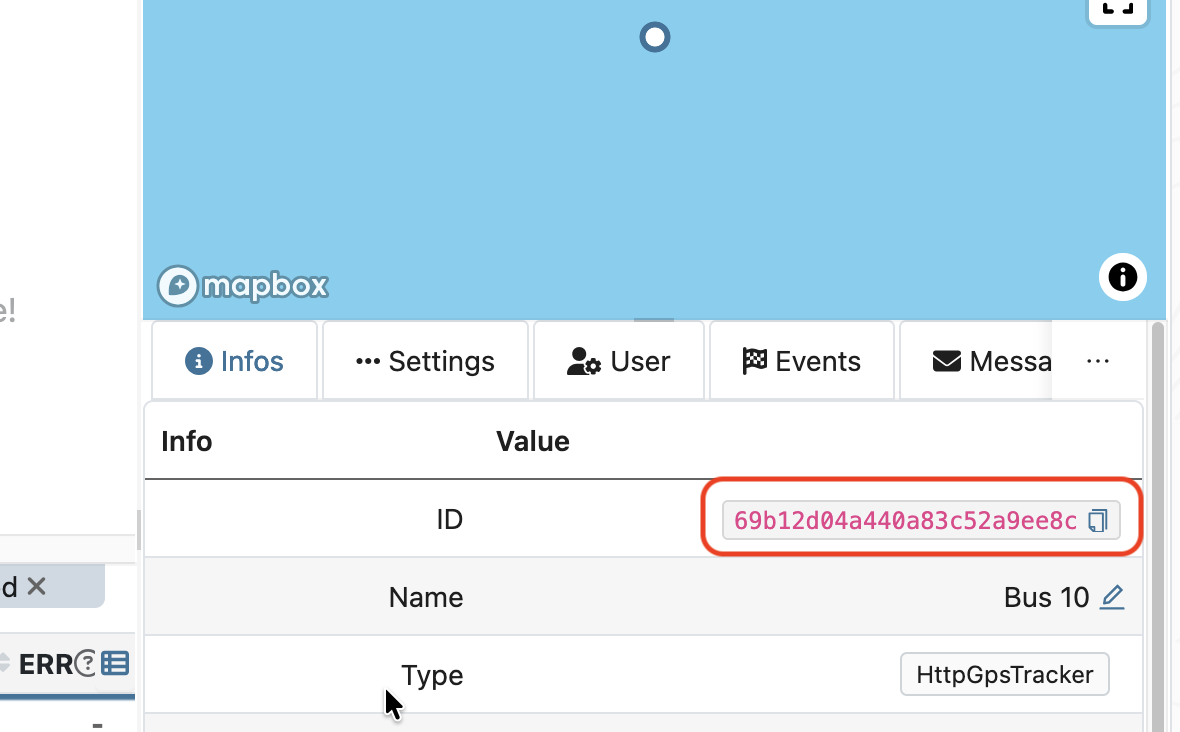
Copy the required `id` for the endpoint in the tracker management, info tab. \
`id` **is not** the generated tracker id!&#x20;

<img src="/files/KIsXd3TpkeE3CIY1lp8w" alt="" data-size="original">
{% endhint %}

Sample request in the terminal:

```
curl -X POST \
  --url https://racemap.com/api/trackers/69b12d04a440a83c52a9ee8c/points \
  --header 'authorization: Bearer {{API_TOKEN}}' \
  --header 'content-type: application/json' \
  --data '[{ "lng": 13.74179, "lat": 51.05471, "time": "2026-03-11T09:15:00Z" }]'
```

{% hint style="info" %}
Only authorized users can direct to the endpoint. \
[Create your authentication with an API token.](/api/authentication.md)
{% endhint %}

When directing valid and current coordinates, the HTTP tracker updates its location on the map and APIs.

#### Parameters

<table data-full-width="false"><thead><tr><th width="188">Field</th><th width="311">Description</th><th width="294">Sample</th><th data-hidden></th></tr></thead><tbody><tr><td><code>lng</code></td><td>Longitude in degree</td><td><code>13.74179</code></td><td></td></tr><tr><td><code>lat</code></td><td>Latitude in degree</td><td><code>51.05471</code></td><td></td></tr><tr><td><code>time</code></td><td>Timestamp of the coordinate, UTC</td><td><code>"2022-01-24T23:00:00.000Z"</code></td><td></td></tr><tr><td><code>elv</code></td><td>Elevation in meter, optional</td><td><code>445</code></td><td></td></tr></tbody></table>


---

# Agent Instructions: Querying This Documentation

If you need additional information that is not directly available in this page, you can query the documentation dynamically by asking a question.

Perform an HTTP GET request on the current page URL with the `ask` query parameter:

```
GET https://docs.racemap.com/gps-devices/http-tracker.md?ask=<question>
```

The question should be specific, self-contained, and written in natural language.
The response will contain a direct answer to the question and relevant excerpts and sources from the documentation.

Use this mechanism when the answer is not explicitly present in the current page, you need clarification or additional context, or you want to retrieve related documentation sections.
